One tool, raw CSV to resource-ready output
Built around how geologists actually work
Workflows shaped by real exploration practice. Standards are reference points; professional geological judgement remains essential.
Your data stays with you
No uploads. No cloud. No telemetry. Drag a CSV, get insights. Works fully offline.
First chart in 5 minutes
No install. No setup. No environment to configure. Open and start working.
Professional handoff, not overclaim
Exports capture data checks, assumptions, diagnostics, and processing history so a geologist can continue the work in specialist software and apply Competent Person judgement.
Three modules. One complete workflow.
From drillhole validation to resource-estimation screening. Core, Assay, and Resource are available now as free Web tools.
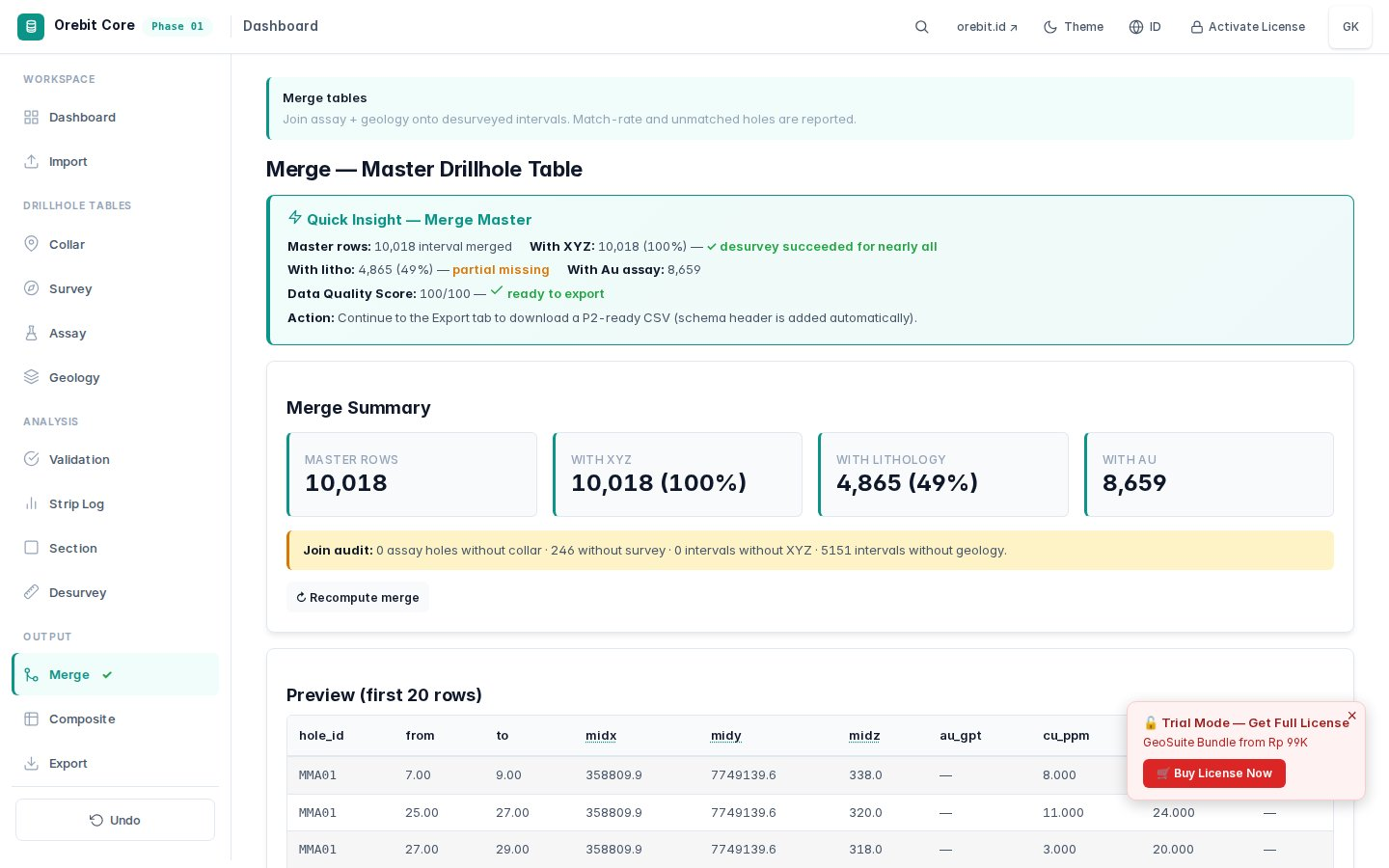
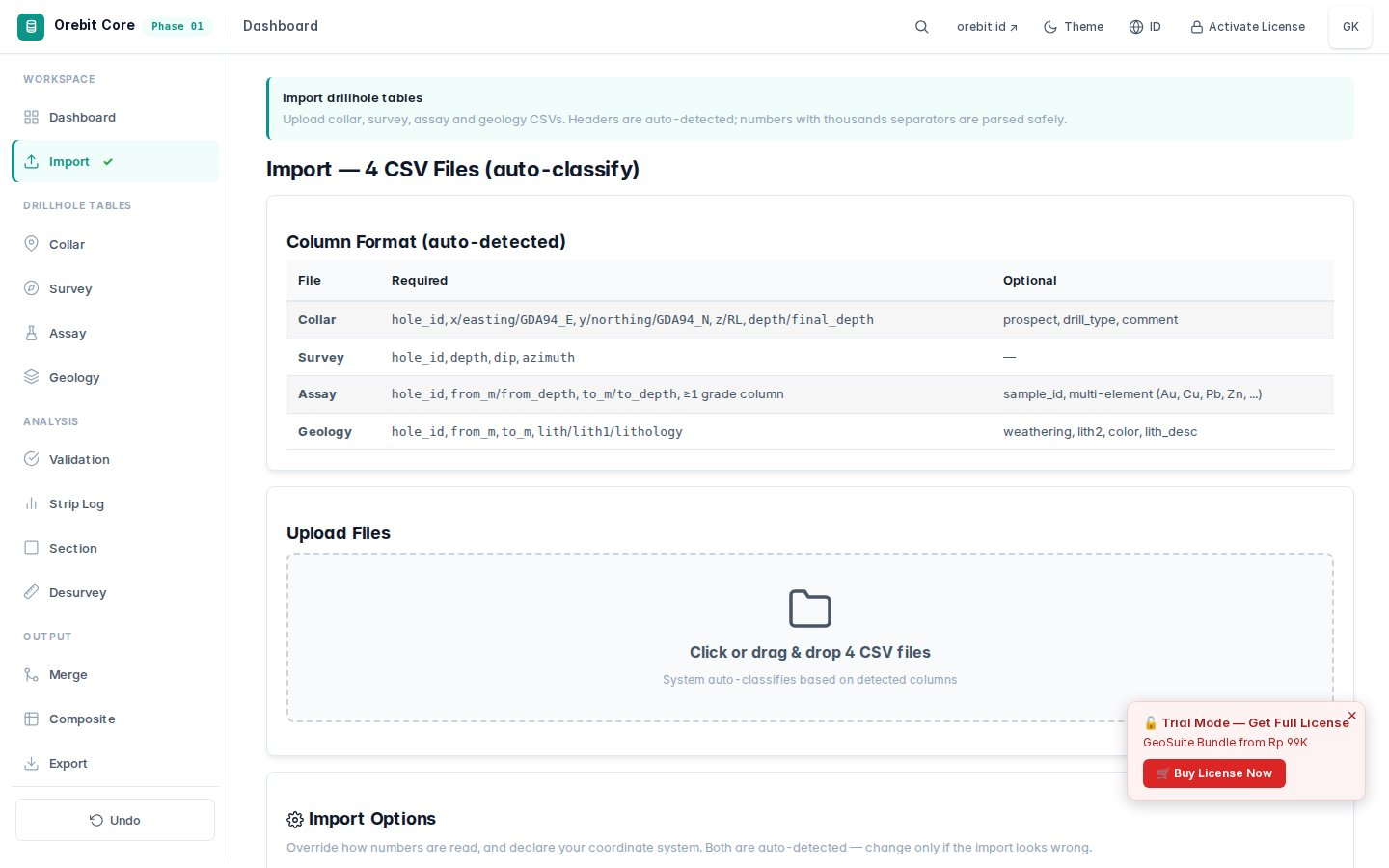
GeoSuite Core
Validate & clean collar, survey, assay, geology data. Strip logs, cross-sections, desurvey.
12 tabs · raw to clean in ~5 min · Free Web
Open Core Web →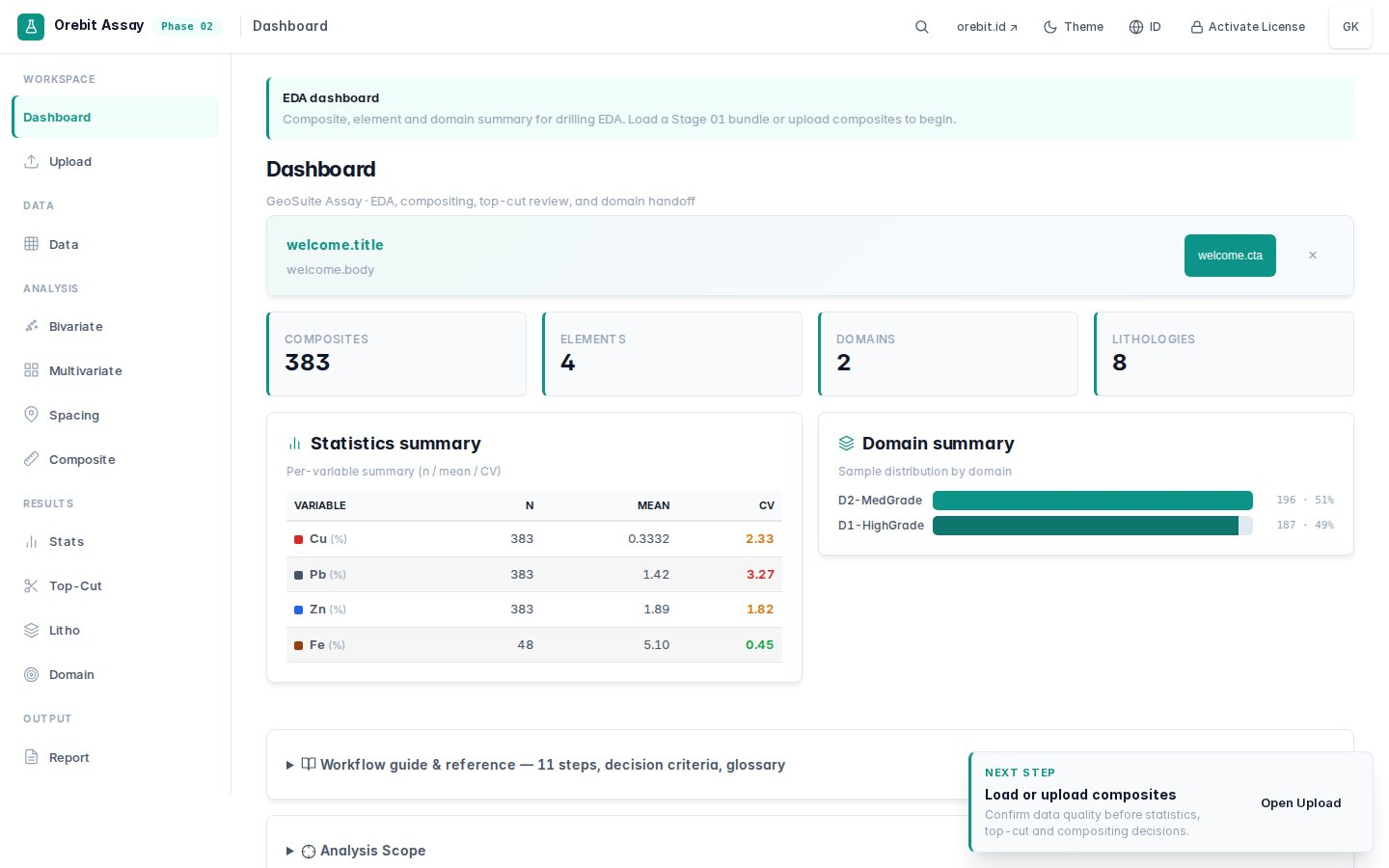
GeoSuite Assay
EDA komplit sesuai standar profesional. Bivariate, multivariate, spacing, top-cut, domain.
12 tabs · spacing → domain → composite
Open Assay Web →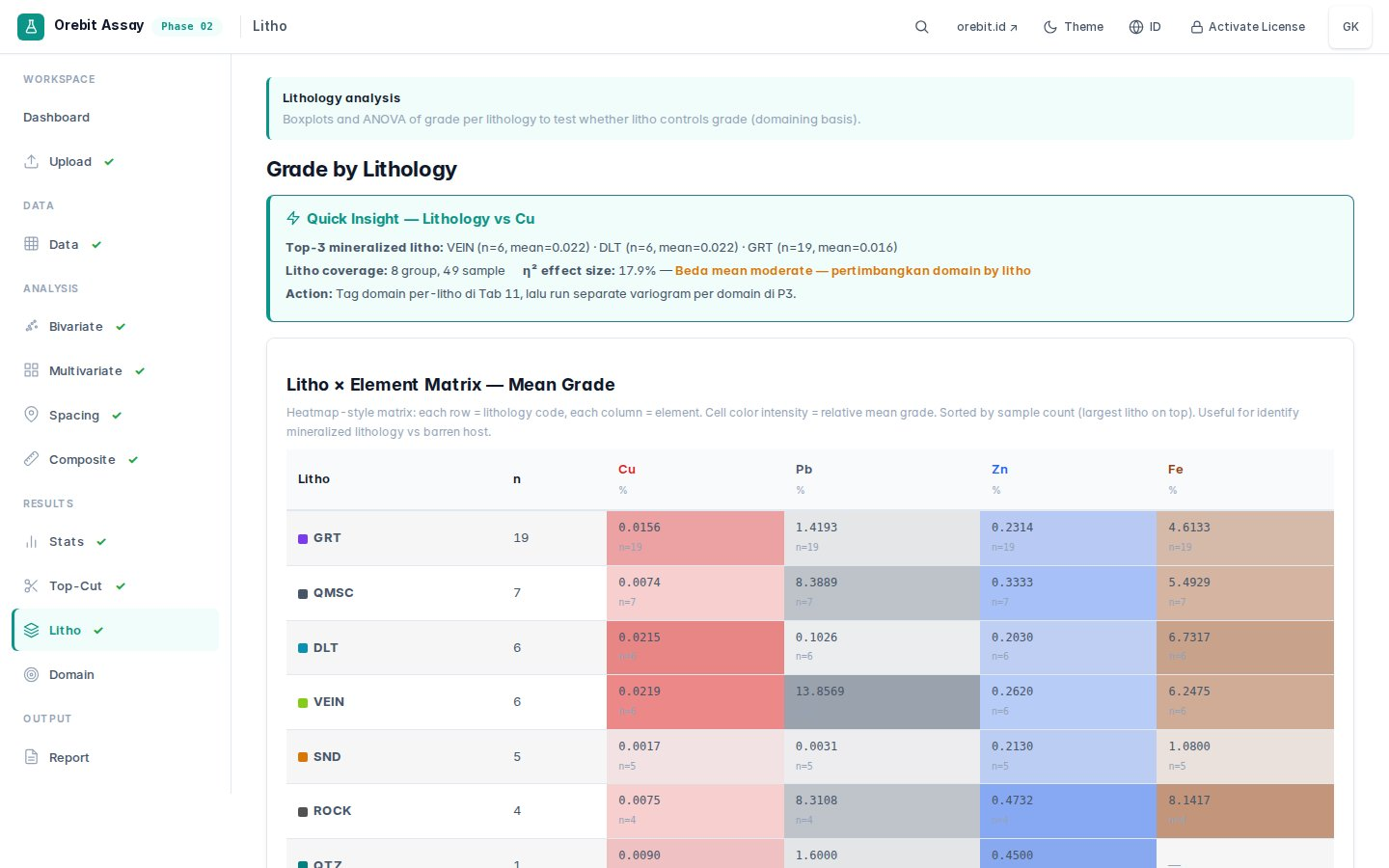
GeoSuite Resource
Variography, kriging, block model, diagnostics, dan preliminary confidence screening untuk professional handoff.
12 tabs · variogram → estimation → handoff
Open Resource Web →Trusted by geologists & academics
Common questions, straight answers
Does this replace commercial 3D mining software?
No. Orebit covers the workflow that comes before — fast and offline. Use it for validation, EDA, and resource estimation prep. For production 3D modelling, pair it with your existing software.
Can I use the output in a KCMI or JORC workflow?
Yes, as a technical preparation and screening input. GeoSuite does not certify a Mineral Resource or replace Competent Person review. Validate the geological model, QA/QC, estimation, modifying factors, and economics before public reporting.
Is my drillhole data safe?
The Desktop Edition is designed for local/offline work. For Web, check the tool's privacy documentation for the actual processing path and limits before uploading confidential data.
What file formats does it accept?
Standard CSV is supported by the documented workflows. Available exports and compatibility depend on the module and version; see the documentation for the current details.
What if I find a bug or have a question?
Email support@orebit.id or message directly via the in-app chat. Bugs are fixed within 48 hours. You speak directly with the developer — no ticket queue.
Can I use this completely offline?
The Desktop Edition is built to run fully offline. The web-based tools run on your computer as a single self-contained tool — check the documentation for offline behaviour and processing details.
Ready to model your drillhole data?
Launch the free Web tools now, then explore GeoSuite Desktop for offline, private, and larger-data workflows.